Pay suppliers from one wallet, with nothing paid until it's approved.
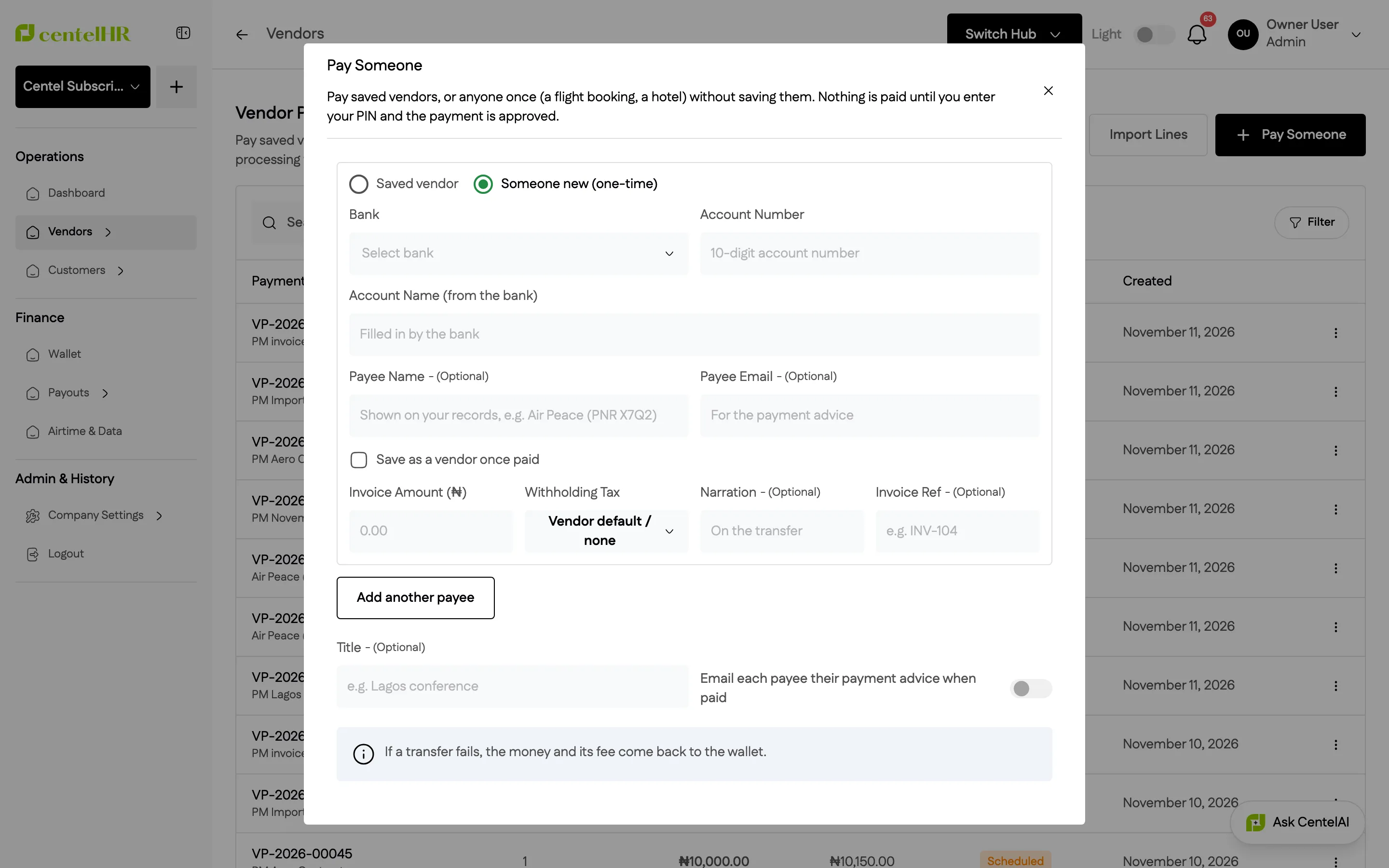
Save the suppliers you pay often, pay anyone else once without saving them, and send many transfers in one payment. Your approvers sign off before any money leaves.
What changes with Centel
The bank names every account
Account names come from the bank, never typed. An account the bank can't confirm can't be saved or paid.
Approved means exactly that
Once a payment is submitted, its payees, accounts and amounts are locked. What your approvers see is what gets paid.
Fraud warnings for approvers
Approvers are alerted to recently changed bank details, possible duplicates, accounts never paid before, and vendor accounts that are also an employee's salary account.
Withholding tax handled
Enter the invoice amount and the WHT rate. Centel keeps the WHT back, pays the vendor the rest, and lists it on a monthly WHT schedule you can download.
Failed transfers cost nothing
If a bank rejects a transfer, the money, the fee and the stamp duty all come back to the wallet. Retry it or cancel it.
A payment advice for every vendor
Each paid transfer has a PDF payment advice to print or email, and Centel can email them to payees as soon as they're paid.
How it works
- 1 · Add your payees
Pick saved vendors, or pay someone new once, like an airline's one-time booking account. Add as many payees as you need, or import them from a spreadsheet.
- 2 · Check what goes out
Each line shows what the vendor receives, the WHT kept back and the fee. The summary shows the total coming out of the wallet.
- 3 · Approve
The payment goes through your disbursement approvals by amount. Nothing is sent until it's approved.
- 4 · Paid, one transfer each
Each payee gets their own bank transfer, now or at the hour you scheduled. Payment advices are ready when each one lands.
In detail
Saved vendors and one-time payees. Suppliers, contractors, landlords and caterers you pay again and again are saved with their bank details, an optional category for the dashboard, a default WHT rate and their TIN. People you pay once, like a hotel for a conference, are paid without being saved.
Changing a vendor’s bank details needs your transaction PIN. For 30 days afterwards, approvers see an alert on that vendor’s payments. A submitted payment always goes to the account it was approved with.
Many payees, one payment. Add payees one by one, or import payment lines from a spreadsheet into a draft. The bank column is a dropdown in the template, and every account is confirmed with the bank. Nothing is paid from an import until you review and submit it.
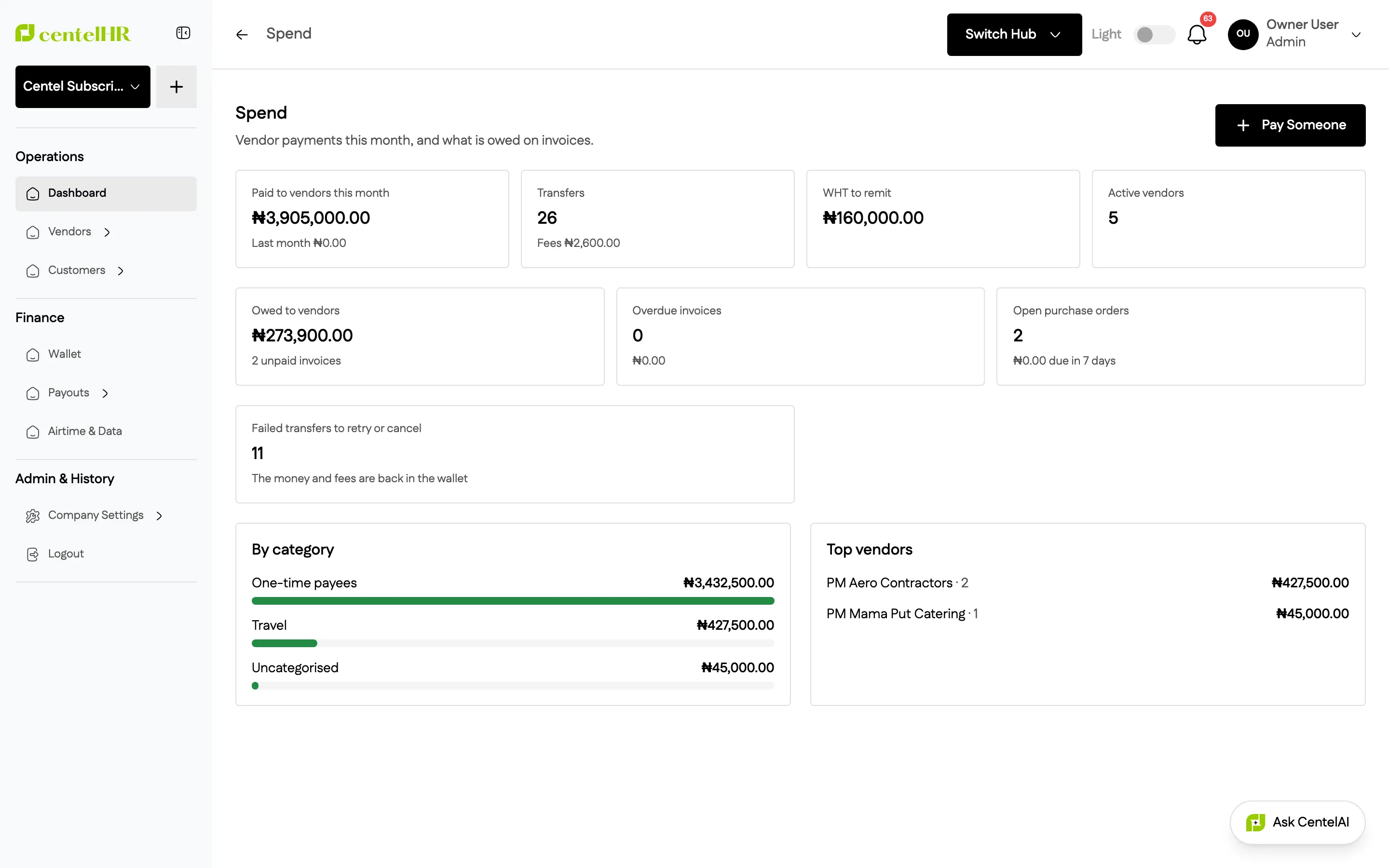
Reports. The WHT schedule lists every transfer with WHT in a month, with each payee’s TIN. The spend export lists every transfer in a date range with its fees. Both download as Excel.
Vendor payments: common questions
What does a vendor payment cost?
One fee per bank transfer, with VAT, on top of what the vendor receives. It's lower if your company has an HR subscription, and a free trial counts. Stamp duty applies to transfers of ₦10,000 or more. The fees are on the pricing page.
Do I need the HR subscription to pay vendors?
No. Anyone with the Vendors Management permission can use it. The HR subscription only lowers the fee per transfer.
Do I have to save someone as a vendor to pay them?
No. Pay them as someone new, one time. Tick Save as a vendor once paid if you'll pay them again. They're saved only after the transfer goes through.
Does Centel pay the withholding tax to the tax office?
No. Centel keeps the WHT back in your wallet and lists it on the WHT schedule. You remit it.
Can I schedule a vendor payment?
Yes. Pick a date and hour at least two hours ahead. It's paid then, once approved and if the wallet covers it.
Can I pay by card?
No. Vendor payments are bank transfers from your Centel wallet.
Related
Make next month-end the easy one.
Bring your team in from a spreadsheet and see your first payroll before you pay for anything.