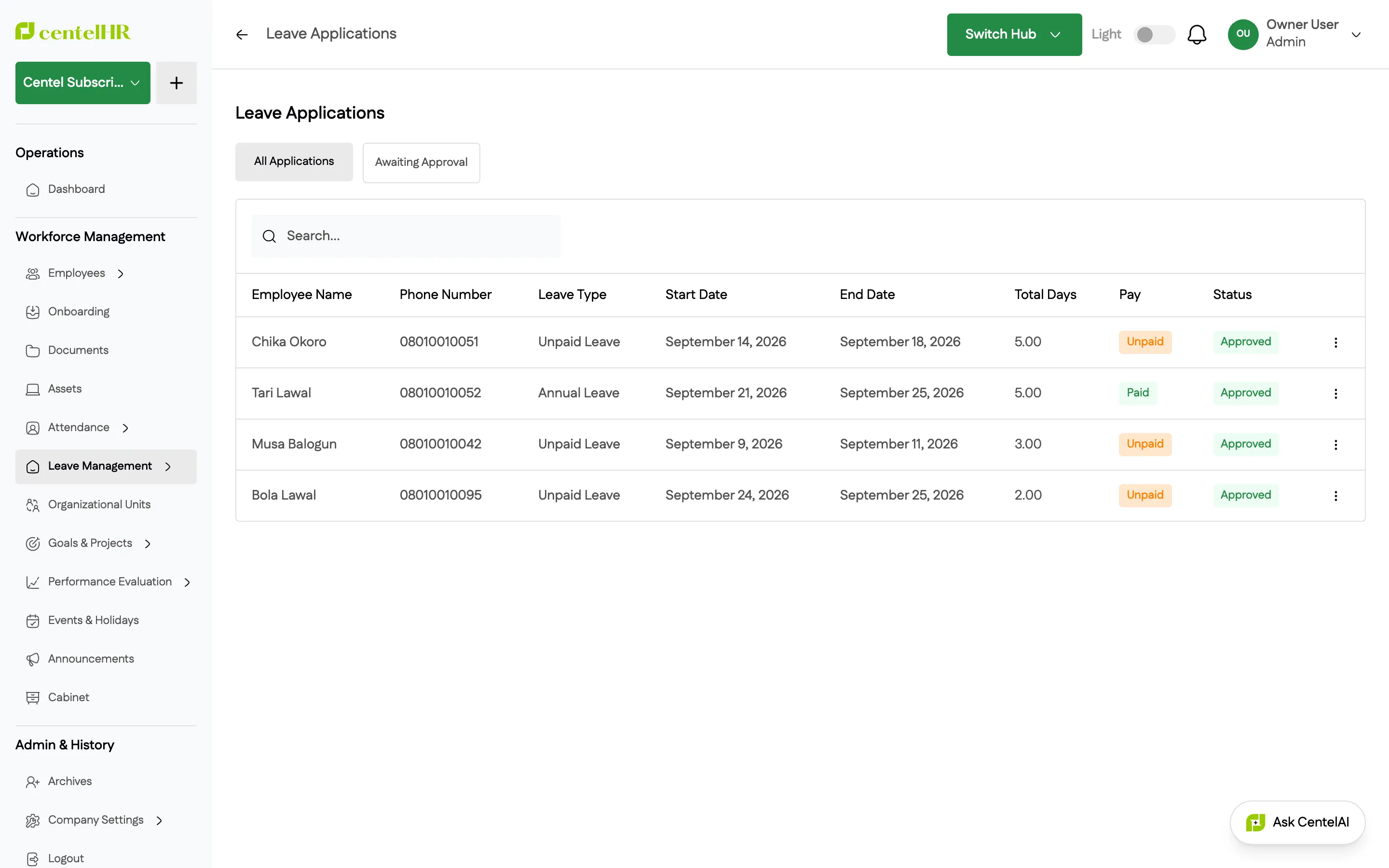
Leave requests that count the days for you.
Staff apply from their phone, the right people approve in order, and Centel counts working days, skips public holidays and keeps every balance current.
What changes with Centel
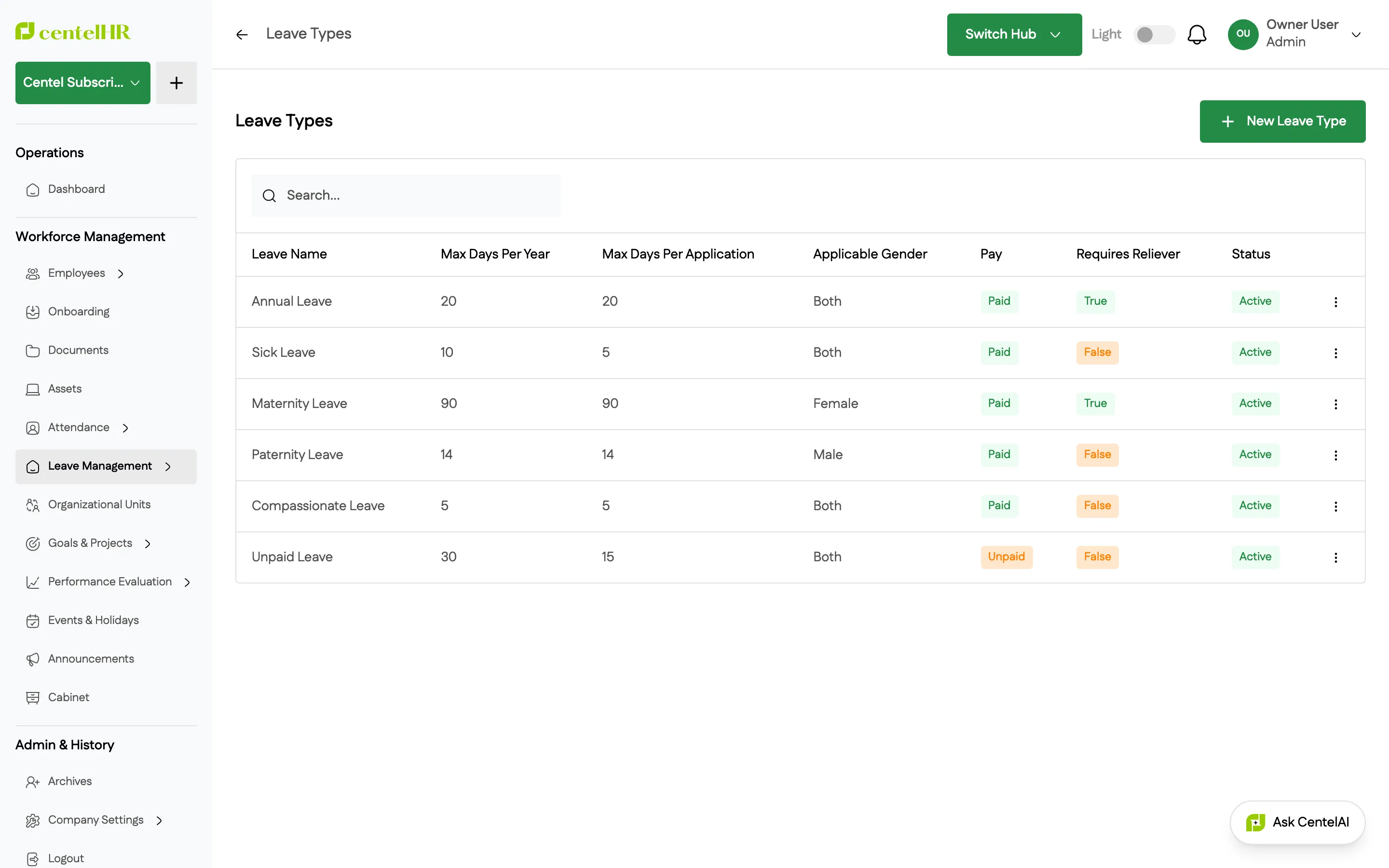
Days counted correctly
Only working days count, and public holidays are skipped, using each employee's leave settings.
Approvals in stages
Direct manager, next-level manager or a named HR person, in the order your leave workflow sets.
Unpaid leave flows into pay
Unpaid leave days are taken out of that month's payroll automatically.
A second check before you approve
CentelAI can check a request against your leave policy and the statutory baseline. Approving stays your call.
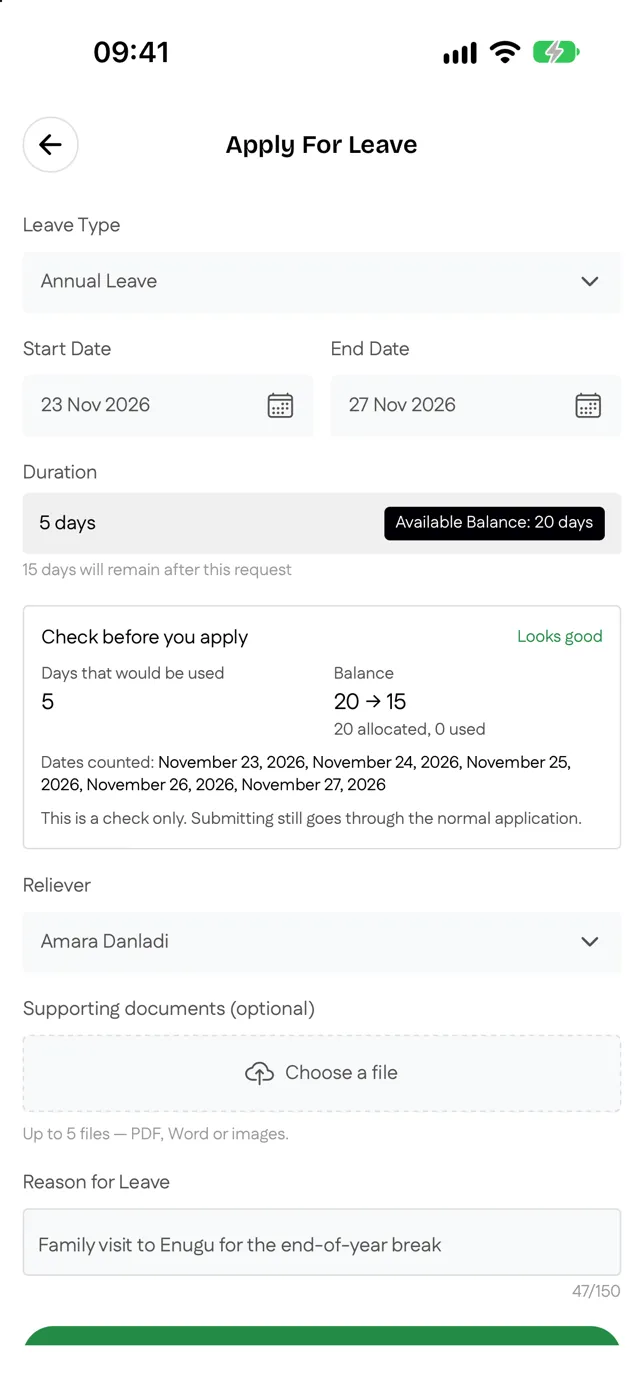
In the employee app
Leave: common questions
Are weekends counted?
No. Only the working days in the employee's leave setting count, usually Monday to Friday.
Do unused days carry over?
No. Centel doesn't carry leave over to the next year.
Can staff take half a day?
No. Requests are in whole working days.
Related
Make next month-end the easy one.
Bring your team in from a spreadsheet and see your first payroll before you pay for anything.