Overtime claimed, approved and paid without the chasing.
Staff claim the hours they worked from their phone. Their manager and HR approve, and payroll pays it, with no spreadsheet of hours to collect.
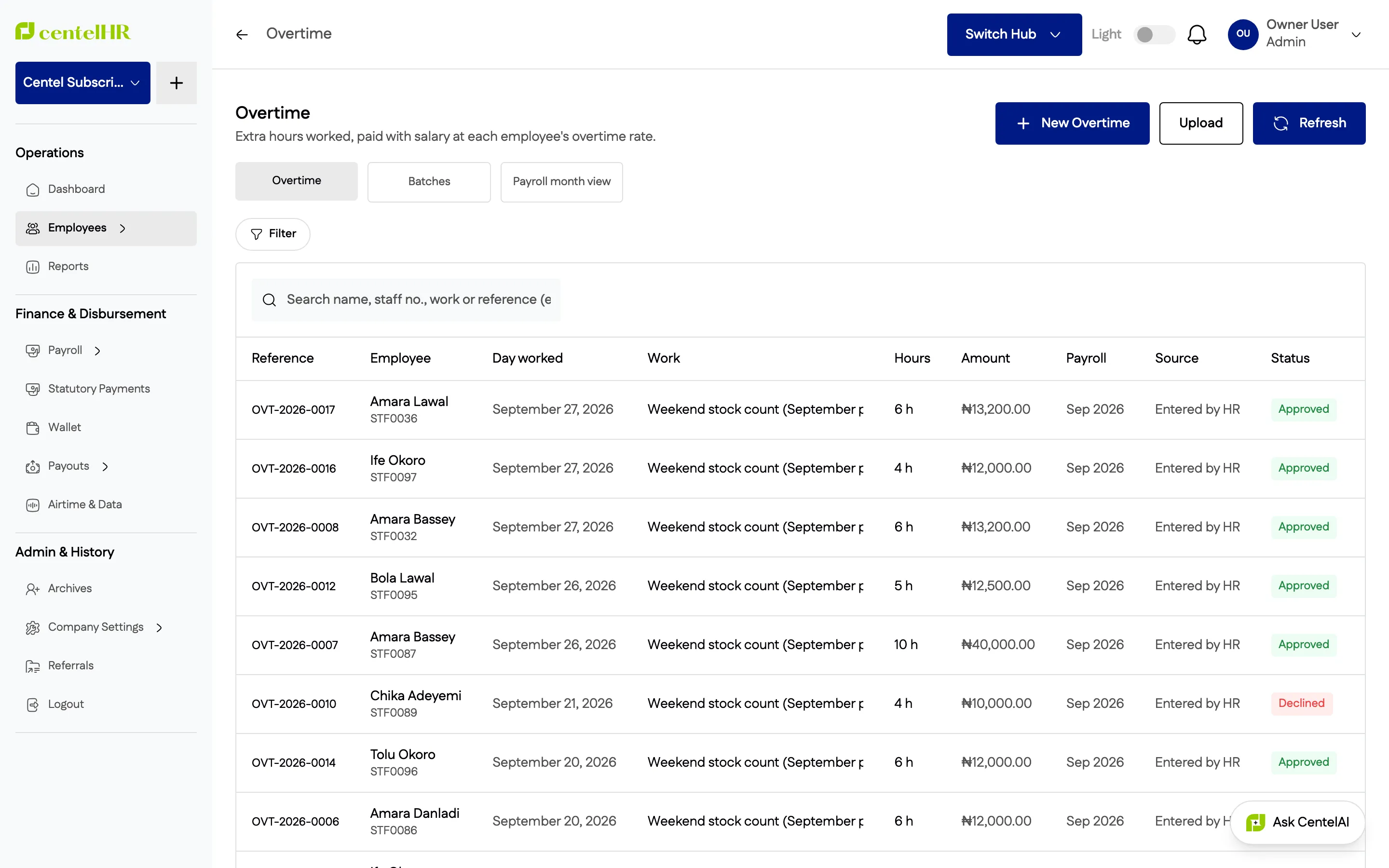
What changes with Centel
Claims from the employee app
One day per claim, with the work done, so approvers know what they're approving.
Approval the way you work
HR always gives the final approval, with an optional manager stage first. Approve fewer hours than claimed when needed.
Paid at the right rate
Approved hours × the hourly rate in force when the claim was made, with a monthly hour cap if you set one.
HR can add it too
Add overtime for one or many employees, or upload a spreadsheet. It's saved as approved.
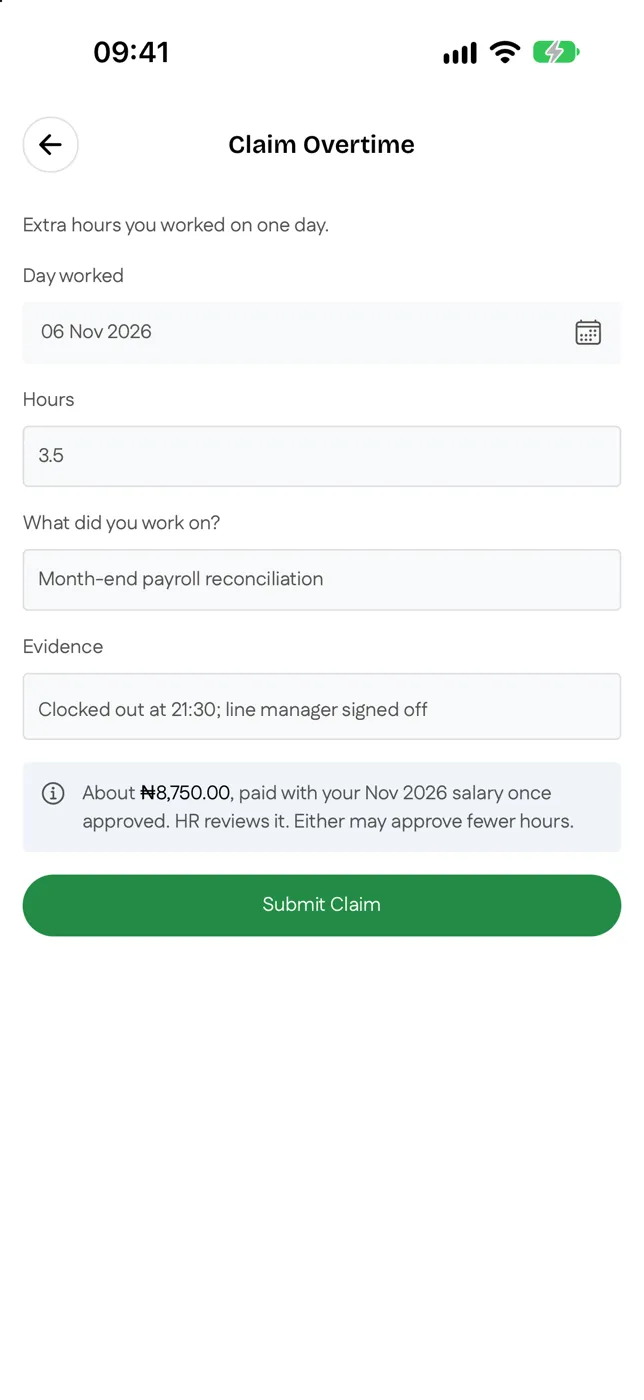
In the employee app
Overtime: common questions
Is overtime on by default?
No. Turn on Can Employees Claim Overtime? and set an hourly rate in Salary Settings.
Is overtime taxed?
Yes, always. It's paid on top of gross by default, or treated as part of gross if you choose.
Is there a higher rate for weekends?
There's one hourly rate per settings. A payroll group can have its own rate.
Related
Make next month-end the easy one.
Bring your team in from a spreadsheet and see your first payroll before you pay for anything.