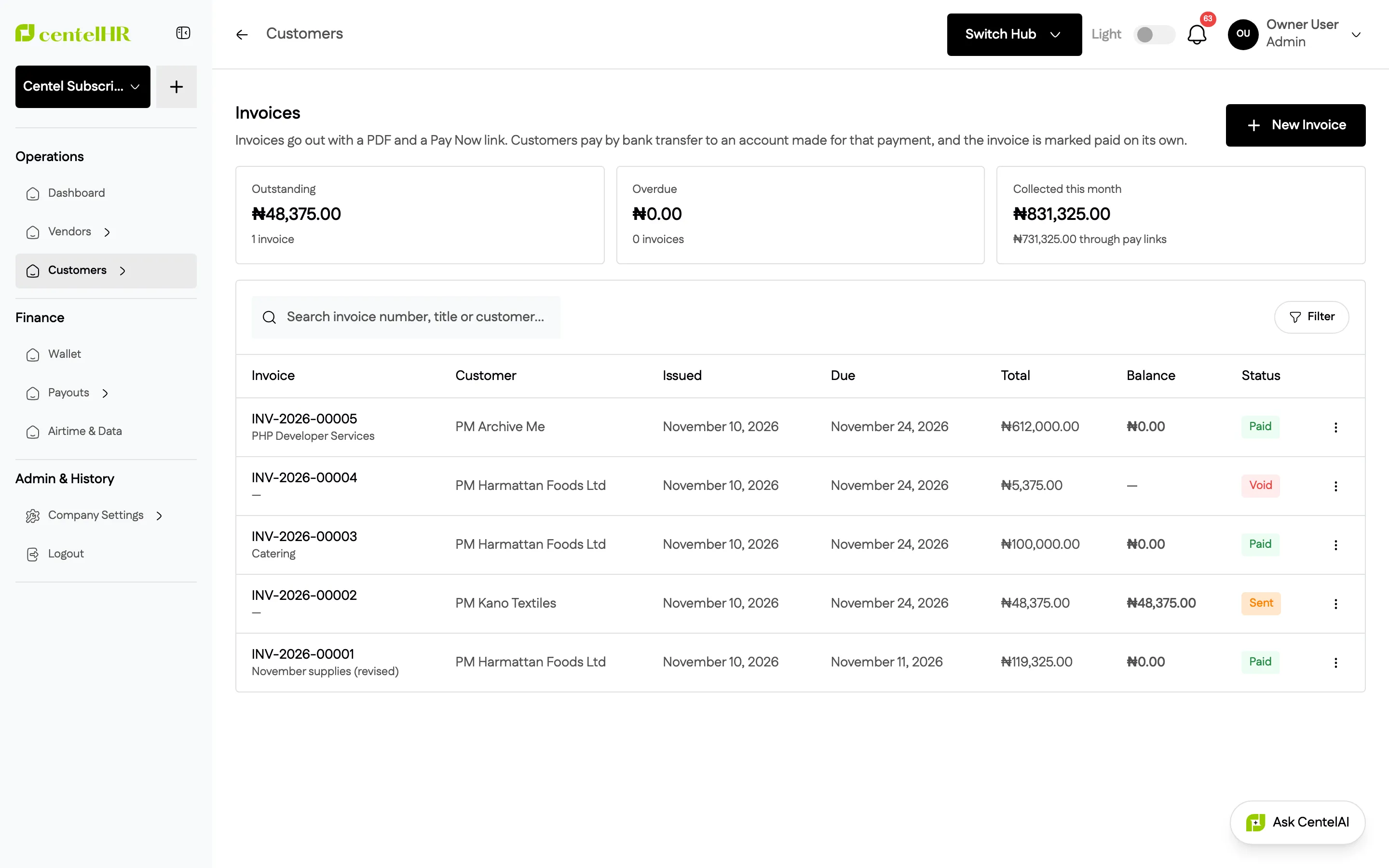
Send the invoice. Know the moment it's paid.
Invoices go out with the PDF attached and a Pay Now link. Your customer pays by bank transfer, the invoice is marked paid on its own, and the money lands in your Centel wallet.
What changes with Centel
No more matching transfers by hand
Each payment through the link gets its own temporary bank account, so Centel knows exactly which invoice the money is for and marks it paid.
Paid straight into your wallet
Money collected through the link goes into your Centel wallet, ready for payroll, vendor payments or anything else the wallet pays for.
Reminders that send themselves
Customers are emailed before, on and after the due date, with the PDF and pay link. You choose the days. Nothing goes once an invoice is paid.
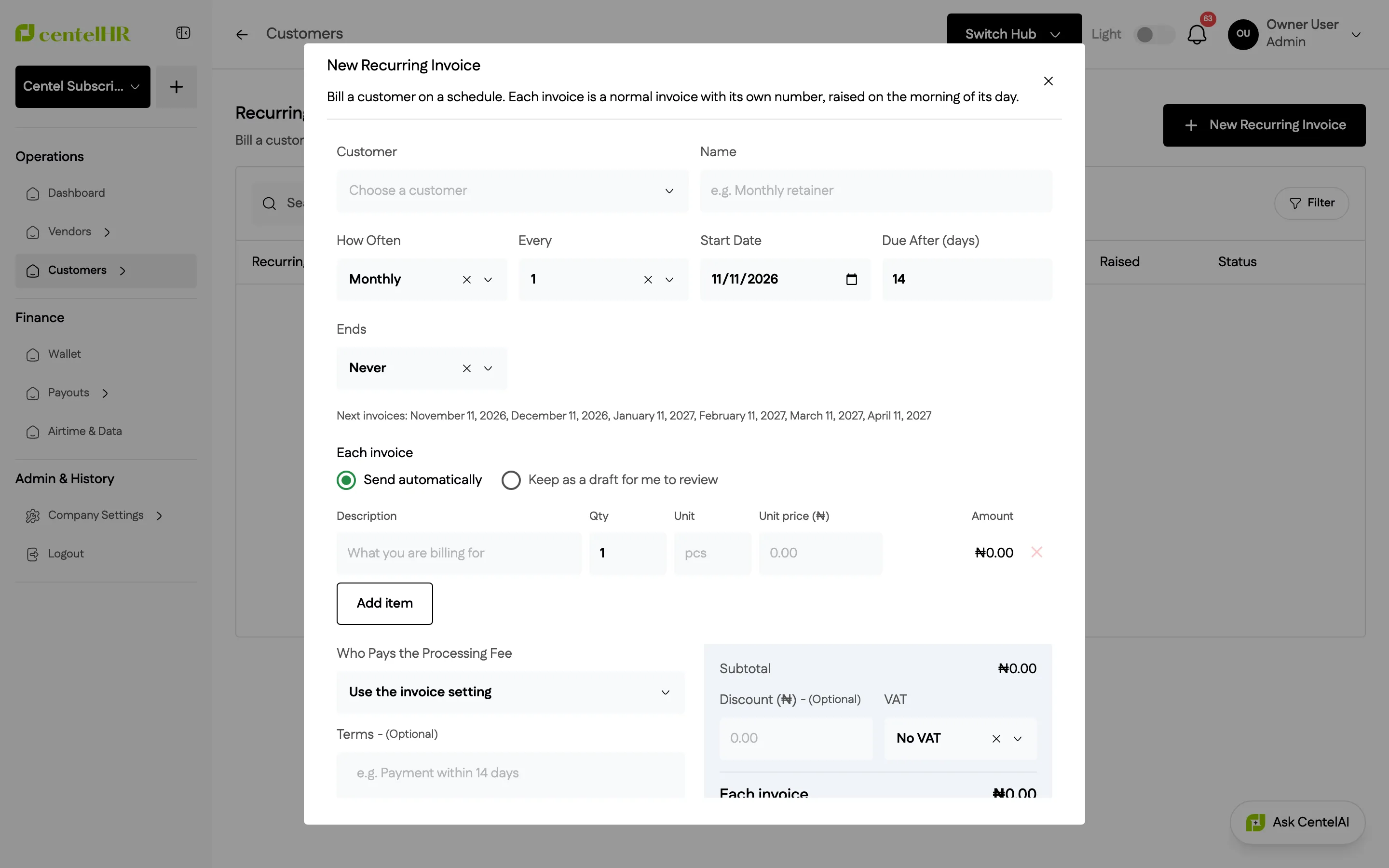
Recurring billing
Bill a customer weekly, monthly, quarterly or yearly. Each invoice is sent automatically, or kept as a draft for you to review.
You decide who pays the fee
Set whether your company or the customer pays the payment processing fee, and override it on any invoice. It's never added to the invoice itself.
Every payment on record
Cash, cheque, POS or a transfer to your own bank are recorded with Mark as Paid, part payments included, and the customer gets a receipt.
How it works
- 1 · Add your customers
One by one, or import them from a spreadsheet. Copy up to five extra emails, like an accounts team, on every invoice.
- 2 · Raise the invoice
Items, discount and VAT. Centel works out the totals. Send it now or schedule it for a later day.
- 3 · The customer pays
They open the link or scan the QR code on the PDF, get account details for that payment, and transfer from their bank app.
- 4 · Marked paid on its own
When the transfer lands, the invoice is marked paid, the customer is emailed a receipt and you get a notification.
In detail
Invoice numbers follow your prefix and the year, for example INV-2026-00014, and restart at 1 each year. Sending dates the invoice today unless you set an issue date, and sets the due date from your default (14 days unless you change it).
Sending without email. Untick Email the customer to number the invoice and open its pay link without emailing it. Then share the PDF or the link yourself, on WhatsApp for example.
Overpayments and late money. If a customer pays twice, or pays after you voided the invoice, the money is still recorded and still credited to the wallet, and the invoice shows the overpaid amount for you to refund outside Centel.
Invoices in naira only. Centel does not refund customers or deduct a customer’s withholding tax for you. Record what you actually received as a part payment and note the WHT.
Customer invoicing: common questions
Is there a bank account on the invoice?
No. Each time a customer pays through the link, they get a temporary account for that one payment. That's how Centel knows which invoice it's for. The pay page also tells customers you'll never ask them to pay into an account sent by email.
Can customers pay by card?
Not yet. Payment through the link is by bank transfer.
How much is the payment processing fee?
It's our payment provider's bank transfer fee, about 1.5% plus ₦100 on payments of ₦2,500 and above, and never more than ₦2,000 on one payment. Centel adds no fee of its own.
What if a customer pays less than the invoice?
What arrived is recorded as a part payment. The invoice shows the balance, and the link asks for the rest next time.
Do I need the HR subscription to invoice customers?
No. Anyone with the Customers Management permission can use it.
Can I change an invoice after sending it?
Yes, until the first payment is recorded, and you can email the updated invoice. After that, void it and raise a new one.
Related
Make next month-end the easy one.
Bring your team in from a spreadsheet and see your first payroll before you pay for anything.