Salary advances, repaid through payroll automatically.
Staff ask for part of their pay early within the limits you set. Once it's paid, the installments come out of payroll on their own.
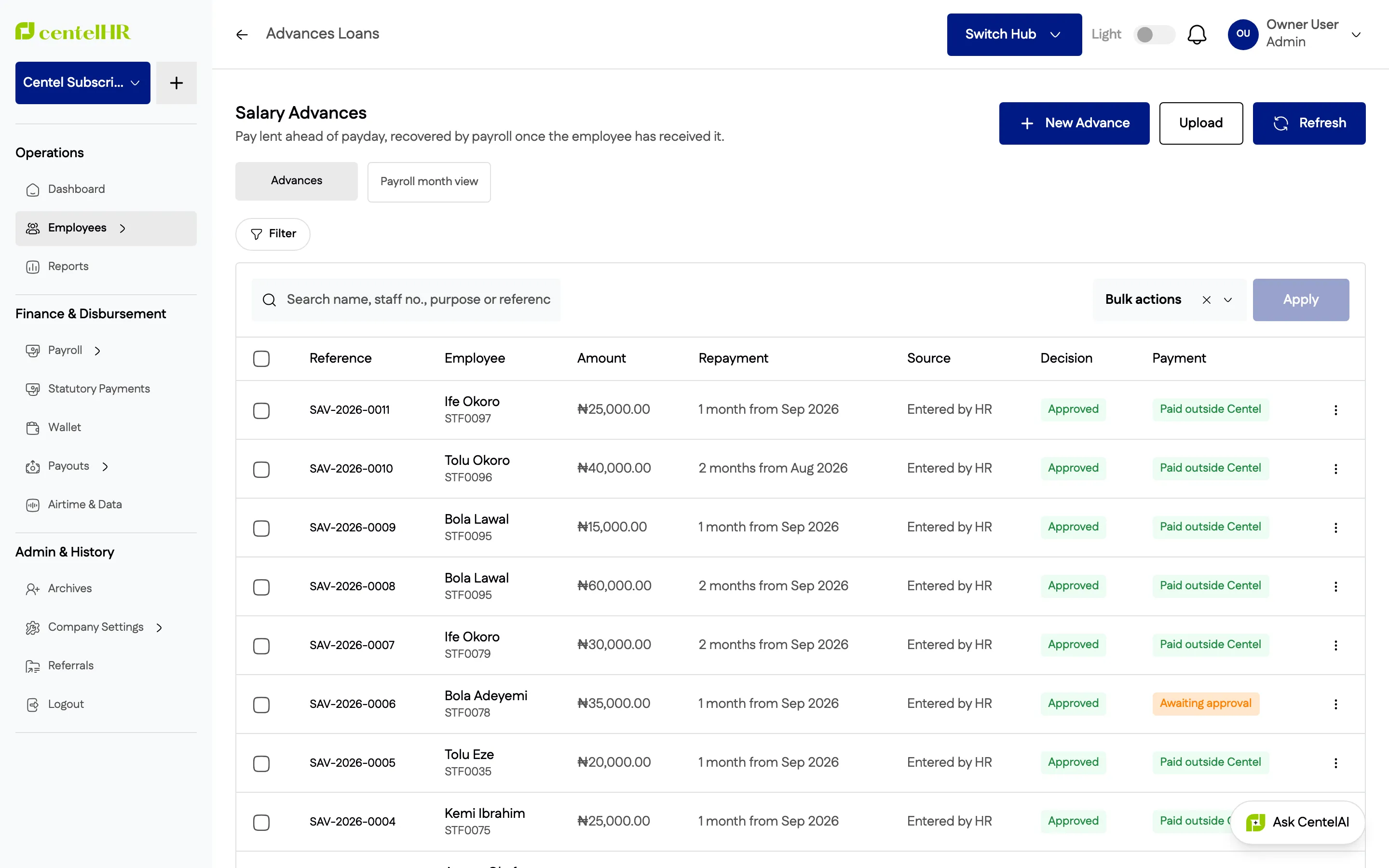
What changes with Centel
Your limits
Set the most repayment months and the most that can come from net pay each month.
Repayment starts when the money lands
Nothing is taken from pay until the advance reaches the employee.
Approve on different terms
Approve as requested or change the amount and repayment plan before approving.
No interest, no fees for staff
Centel charges employees nothing. A shortfall in one month carries to the next.
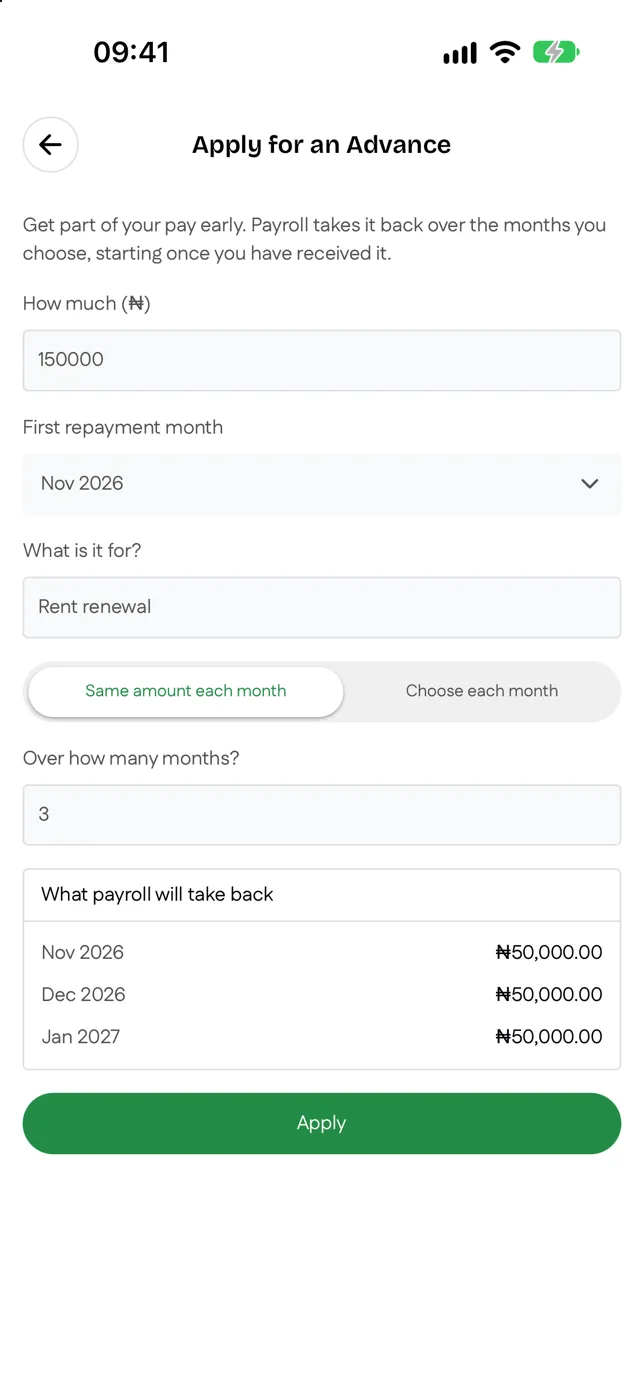
In the employee app
Salary advances: common questions
Are advances taxed?
No. An advance is a loan against pay, not income, and repayments show as deductions on the payslip.
Can an employee have two advances?
Approved advances can run together, but only one application can be pending at a time.
Can advances be turned off?
Yes. Switch off Can Employees Apply for Salary Advance? in Salary Settings.
Related
Make next month-end the easy one.
Bring your team in from a spreadsheet and see your first payroll before you pay for anything.