Know who's in, and plan shifts without the guesswork.
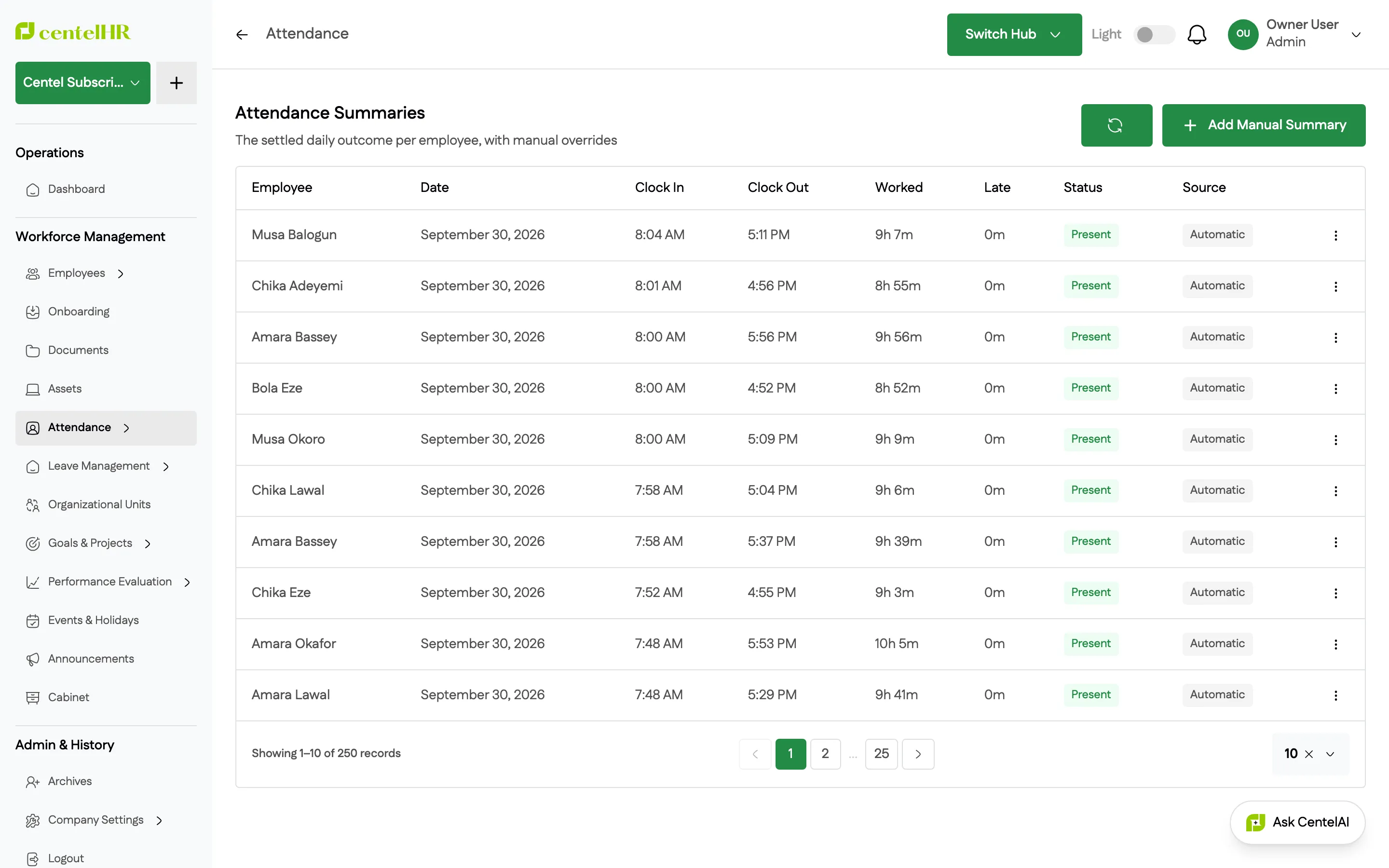
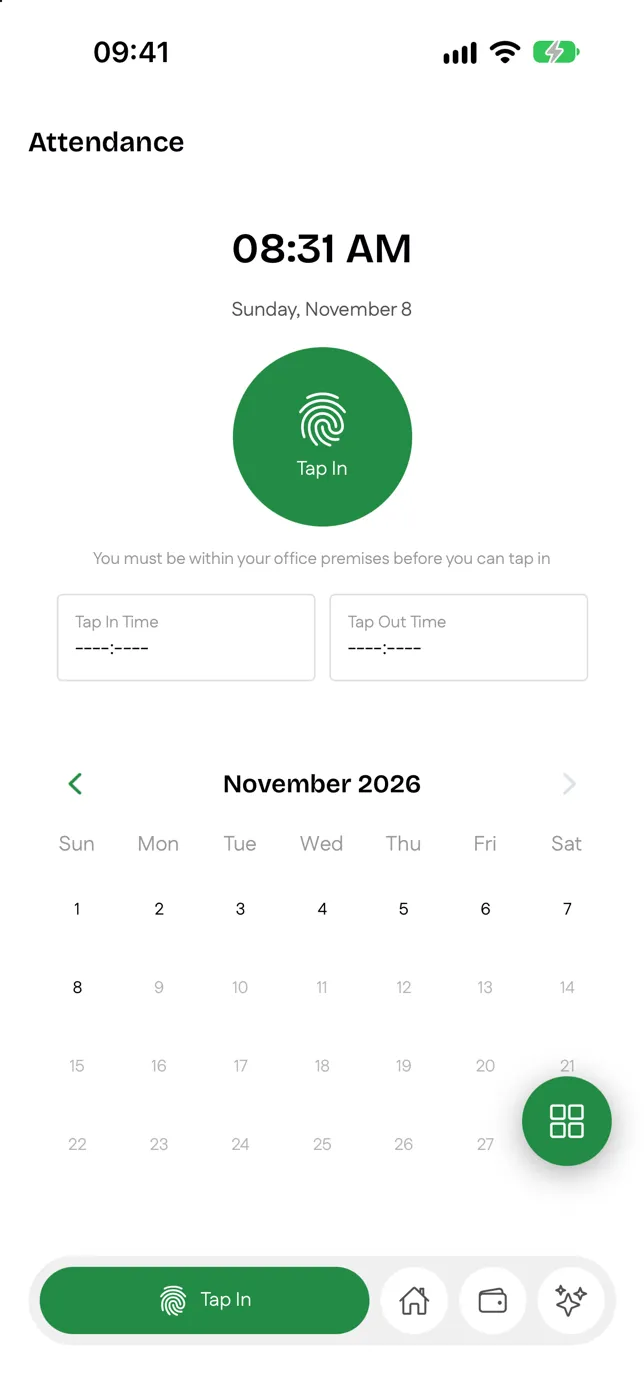
Staff clock in from the employee app at your locations. You get daily summaries of who's present, late or absent, and rosters for shift teams.
What changes with Centel
Clock-in where it counts
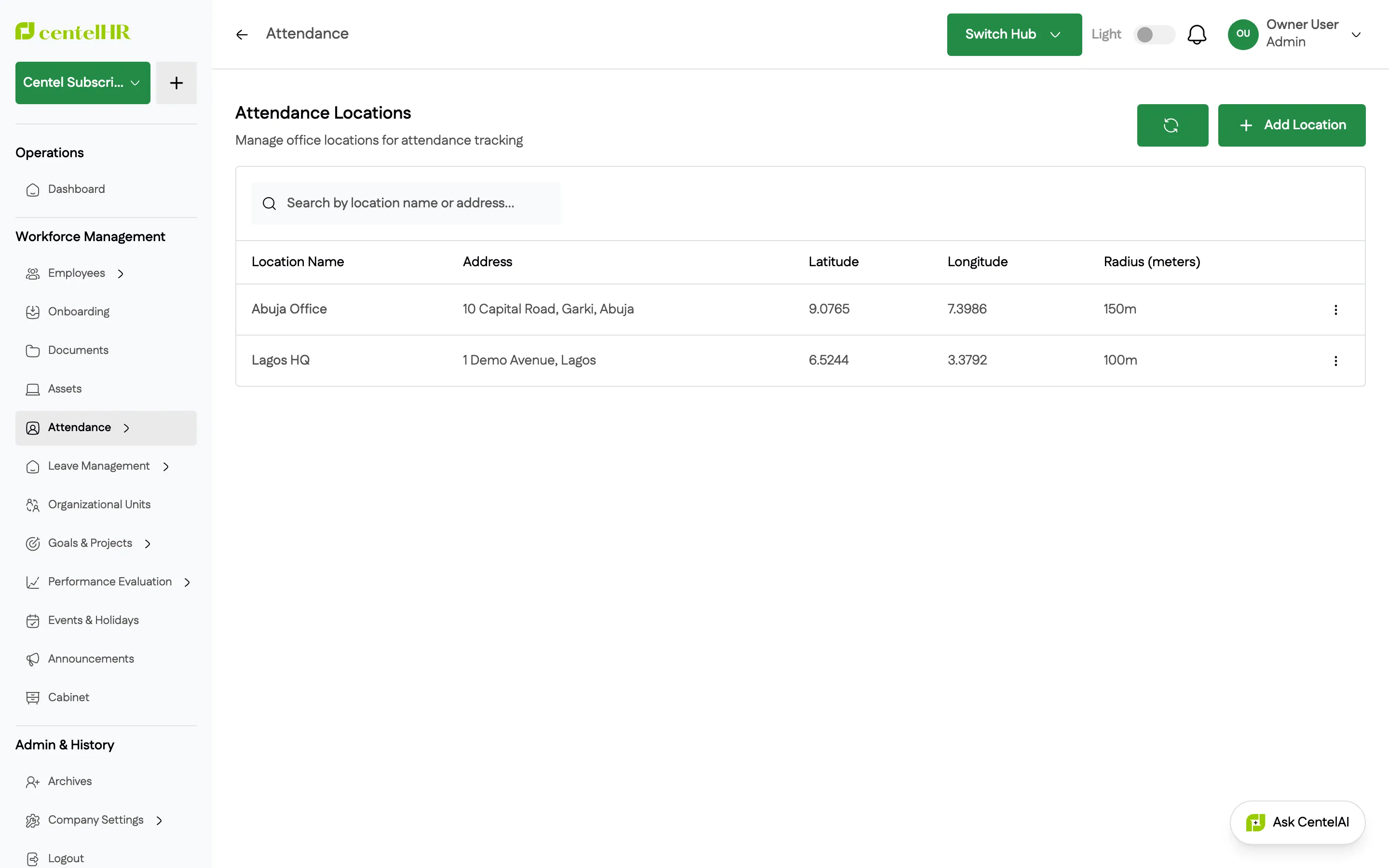
With GPS required, a clock-in must be inside an allowed location's radius, 100 metres by default.
Daily summaries
Present, late, absent or half day for every employee, with HR overrides and employee correction requests.
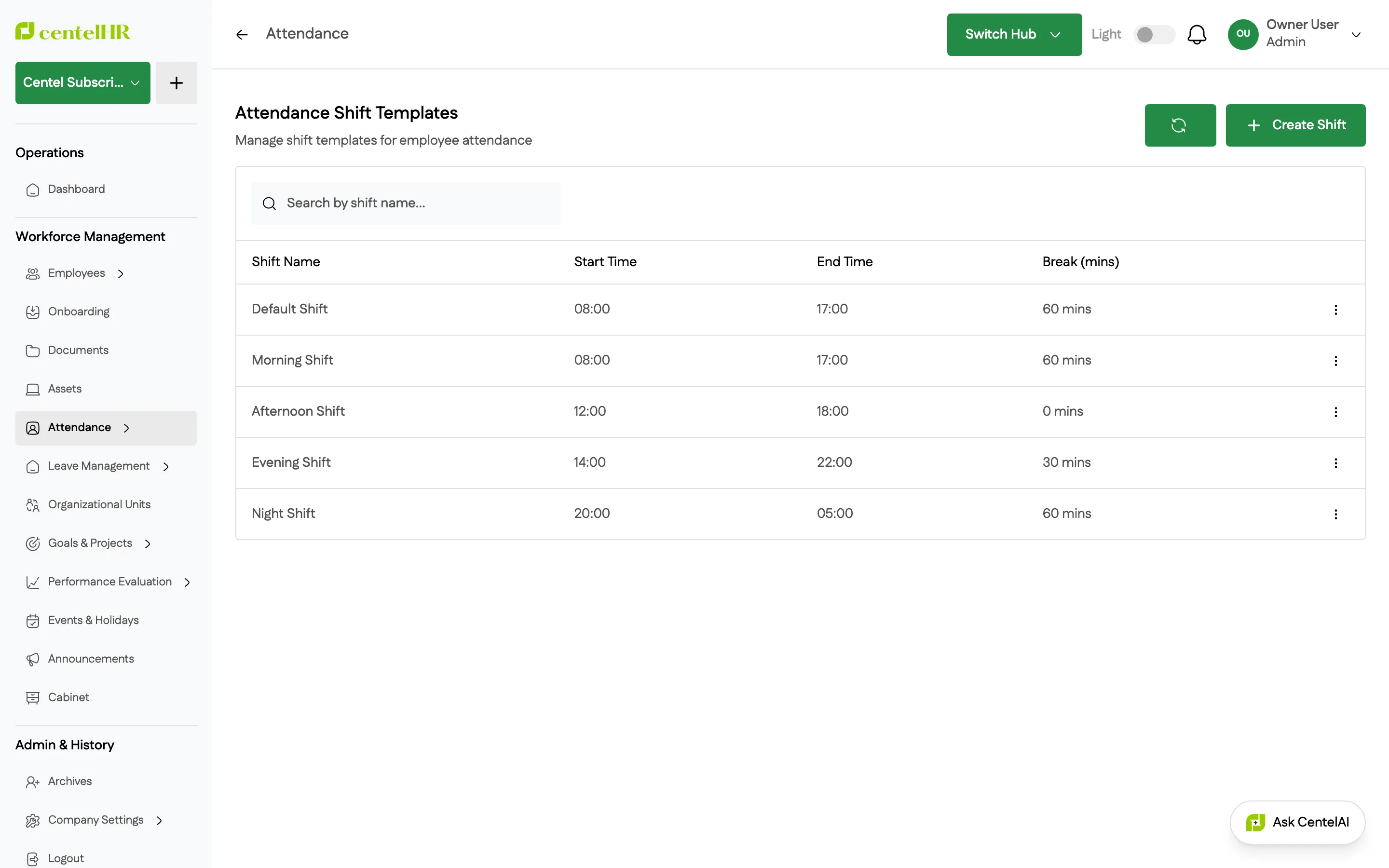
Rosters built for you
The roster engine builds shift rosters from your rules, hard rules never broken, soft rules followed where possible.
Pay from attendance, if you want
Turn it on and absent days are unpaid and half days paid half. Late days are always paid in full.
In the employee app
Attendance and rosters: common questions
Does attendance change pay?
Only if Use Attendance to Calculate Pay? is on and the employee is covered by the HR subscription. Otherwise it's a record.
What if someone forgets to clock out?
Your attendance policy decides: an automatic clock-out or an absent day. The employee can then request an adjustment.
Can CentelAI build our roster?
The roster engine builds it from your rules. CentelAI turns instructions into rule changes and explains the result.
Related
Make next month-end the easy one.
Bring your team in from a spreadsheet and see your first payroll before you pay for anything.