Less time on payroll. More time for your people.
Centel takes the hassle out of salary calculations and automates your monthly payroll, giving you more time to focus on your people, not the paperwork.

Balance updated on its own
Trusted by these Organizations and more
Month-end shouldn't feel like an emergency.
The payroll spreadsheet only one person understands.
And everyone hopes they never go on leave in the last week of the month.
Chasing managers for overtime and leave days.
Then typing it all into payroll, and hoping nothing slipped through a WhatsApp thread.
Re-checking PAYE every time the rules change.
2026 brought new tax bands. Did every formula in the sheet get the memo?
“Please, can you resend my payslip?”
The same small questions, every month, landing on the same desk.
Your whole month, on one screen.
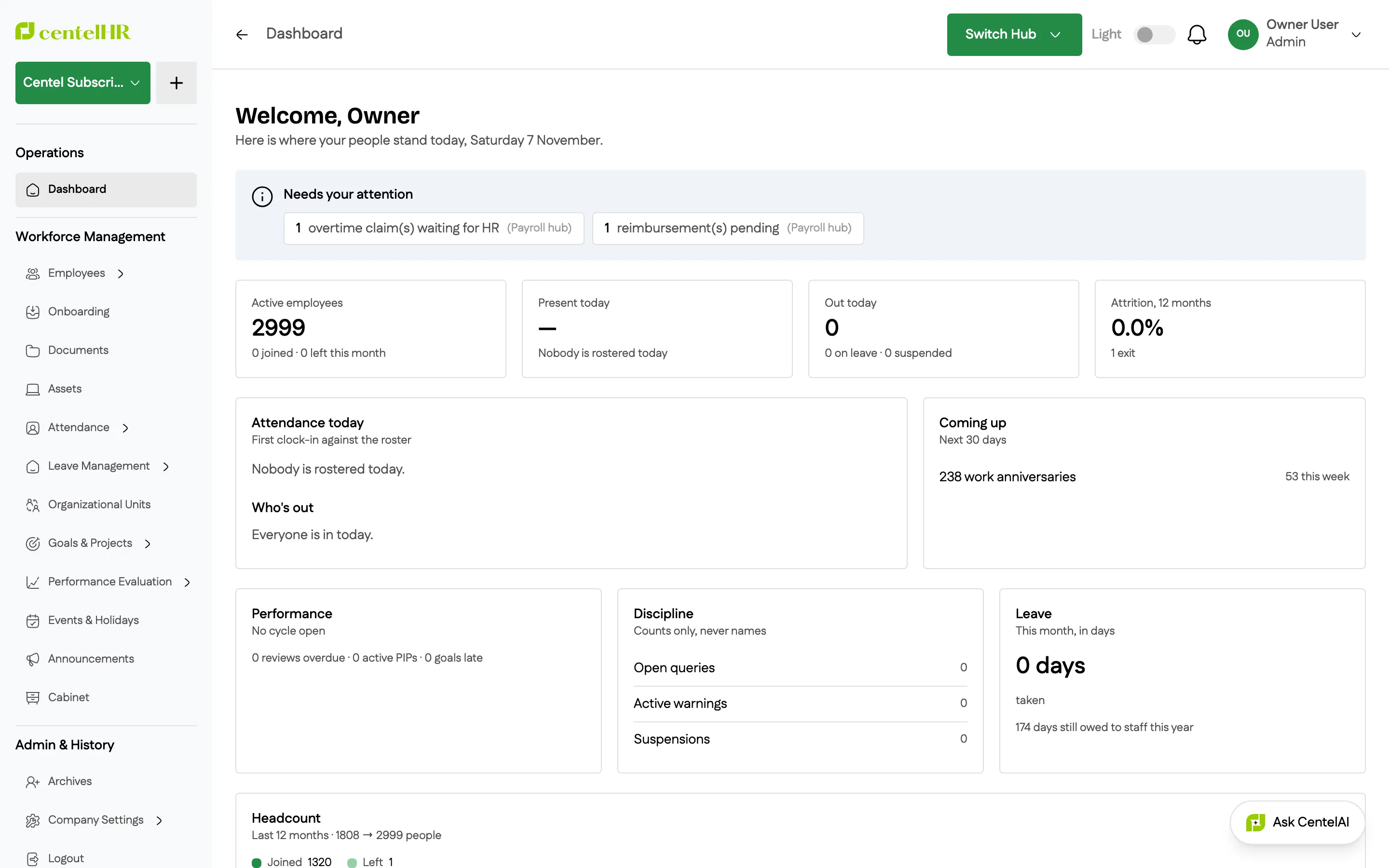
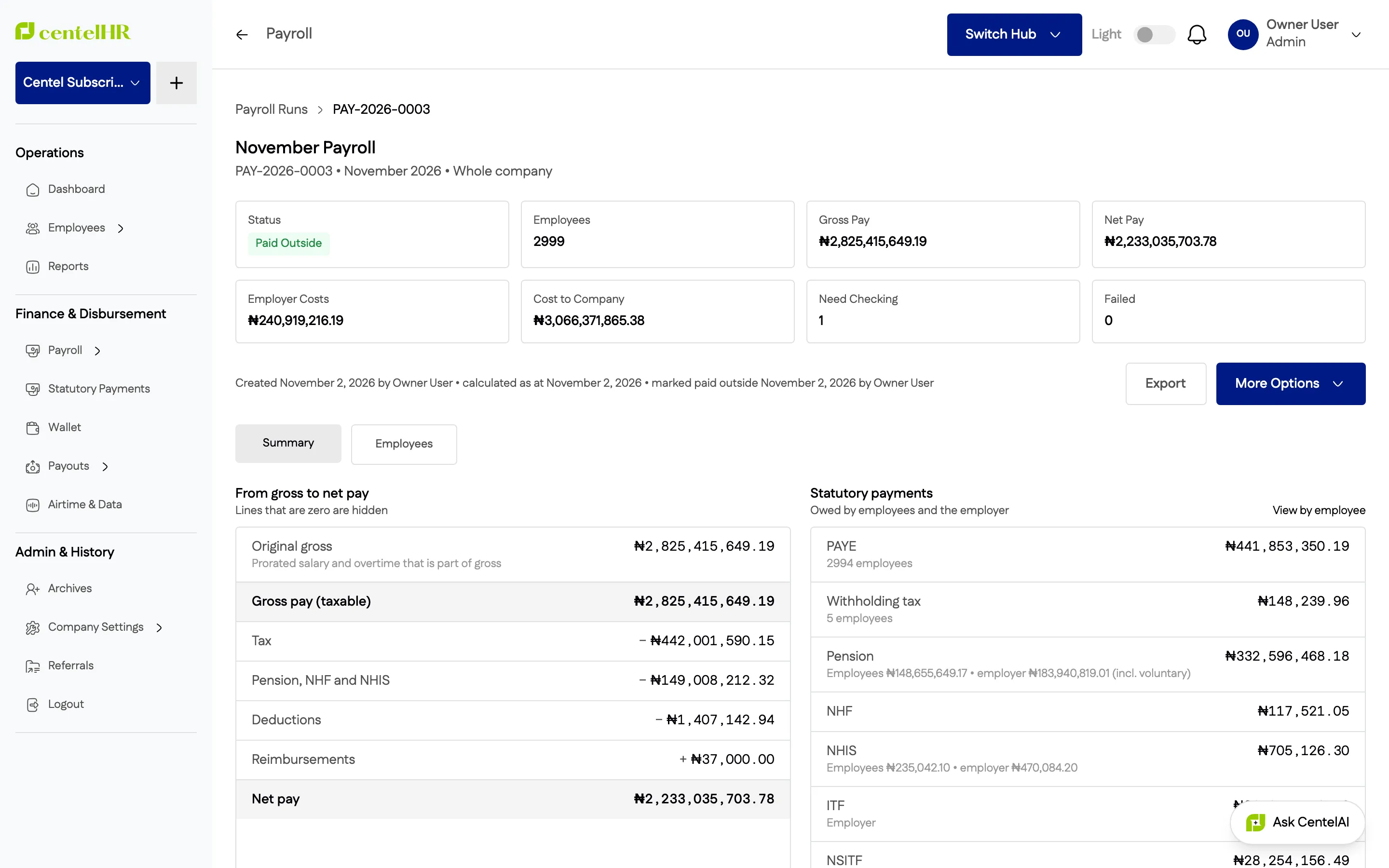
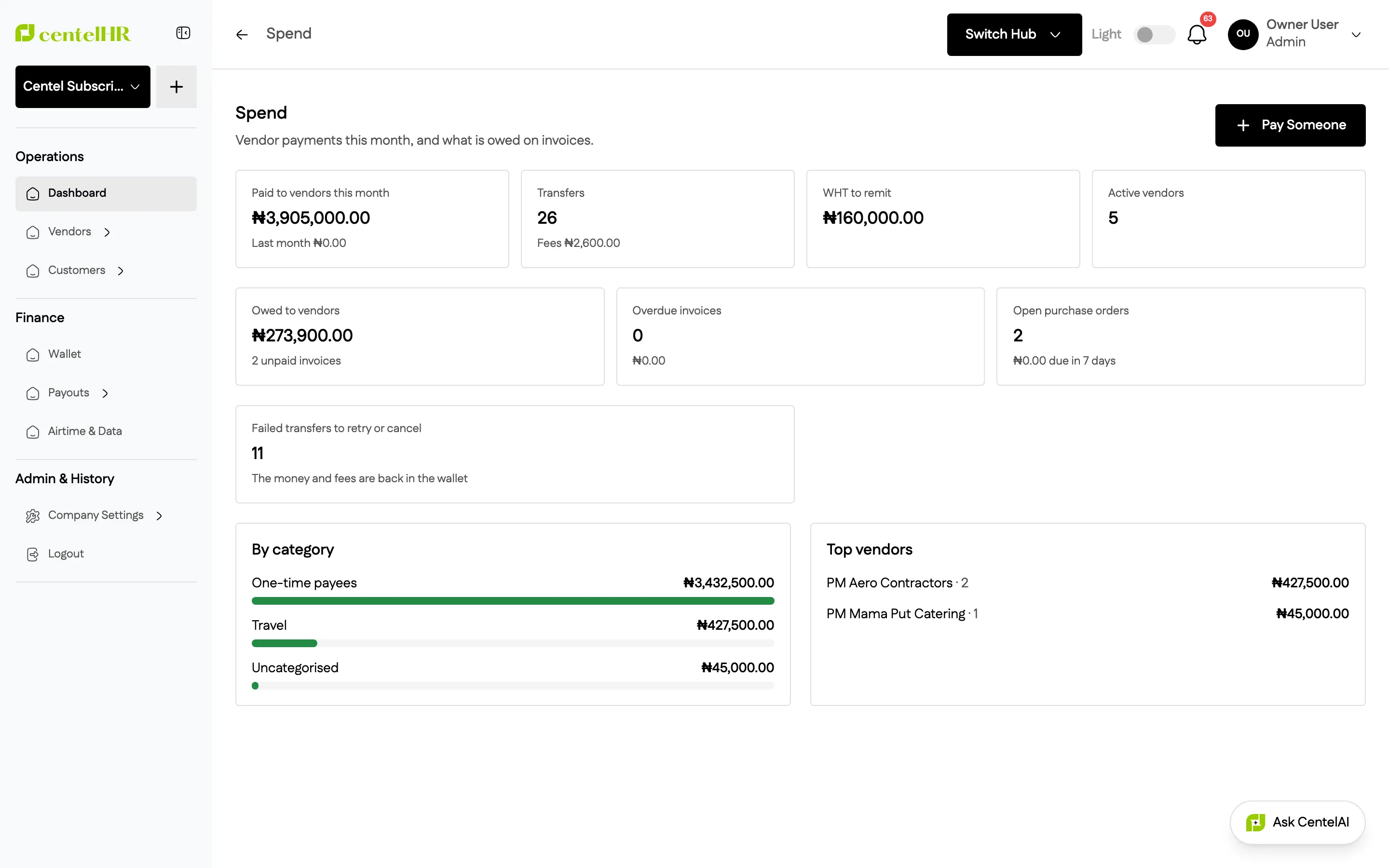
A calmer month, from first clock-in to last payslip.

Stop copying between spreadsheets.
Leave, overtime, bonuses and advances are recorded once, where they happen. By month-end they're already in payroll, so your team spends the last week of the month on people, not cells.
How payroll runs work →Trust every payslip you send.
Tax, pension and every deduction are worked out the same way for everyone, every month. When Nigeria's rules change, Centel changes with them, so you're not rebuilding formulas at midnight.
Try the PAYE calculator →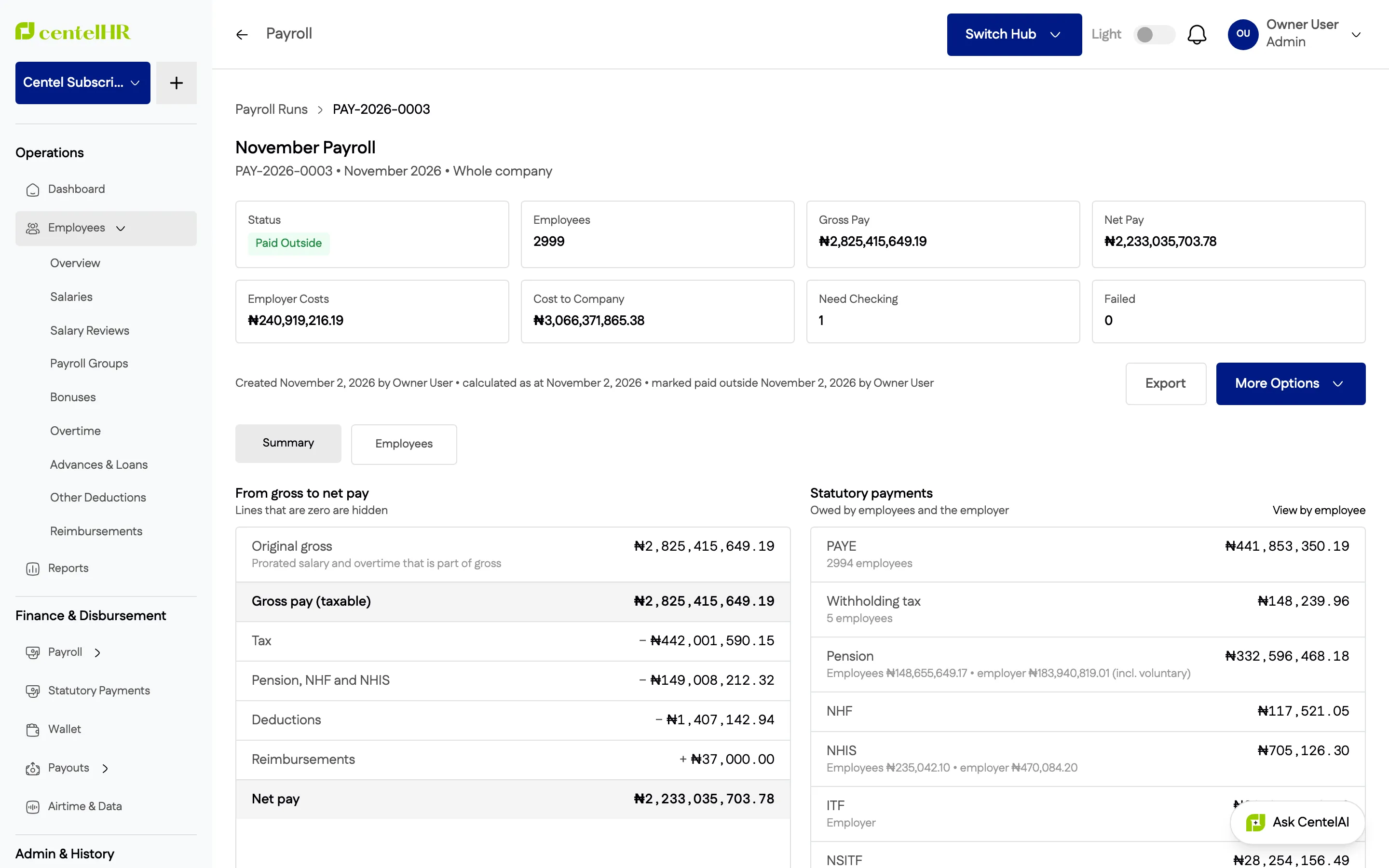

Money only moves when it should.
Your finance lead and MD approve salaries before they leave the account. You decide who signs off on what, and bank details can't be quietly changed after approval.
How approvals work →Fewer “quick questions” on your desk.
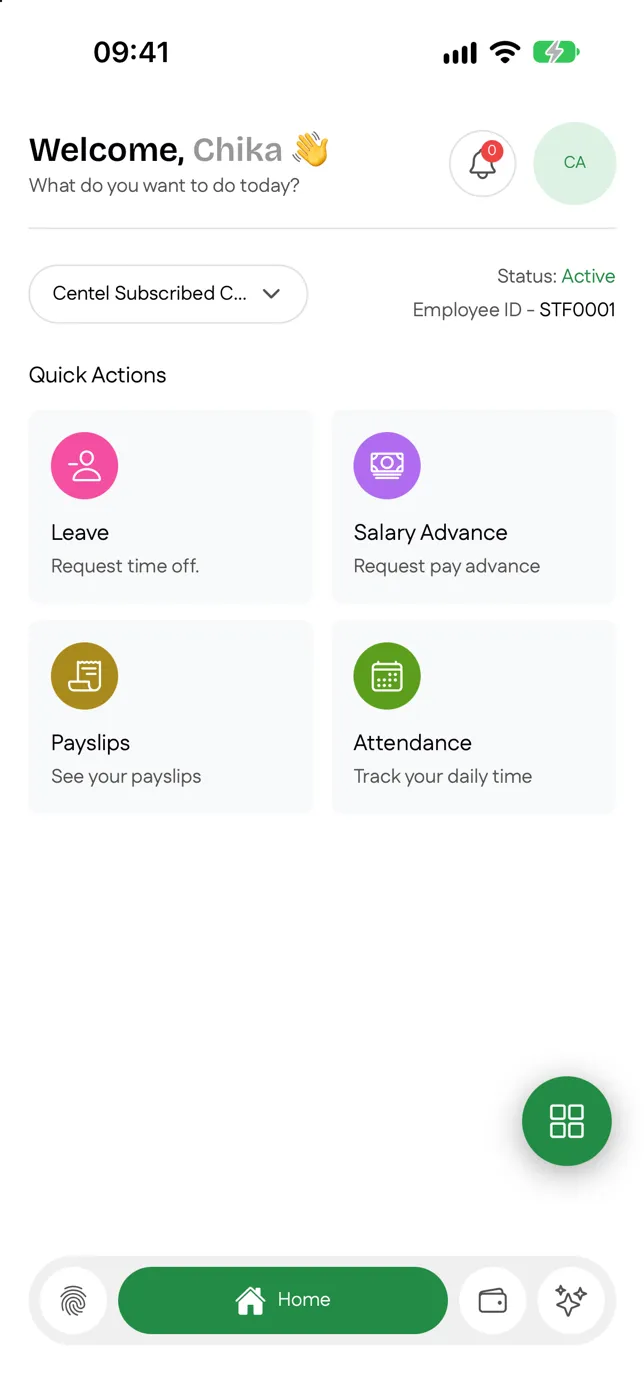
Staff see their own payslips, leave balance and requests in the employee app, and can ask CentelAI why their pay changed. You hear about the things that really need you.
See the employee app →
Tap to view in the app
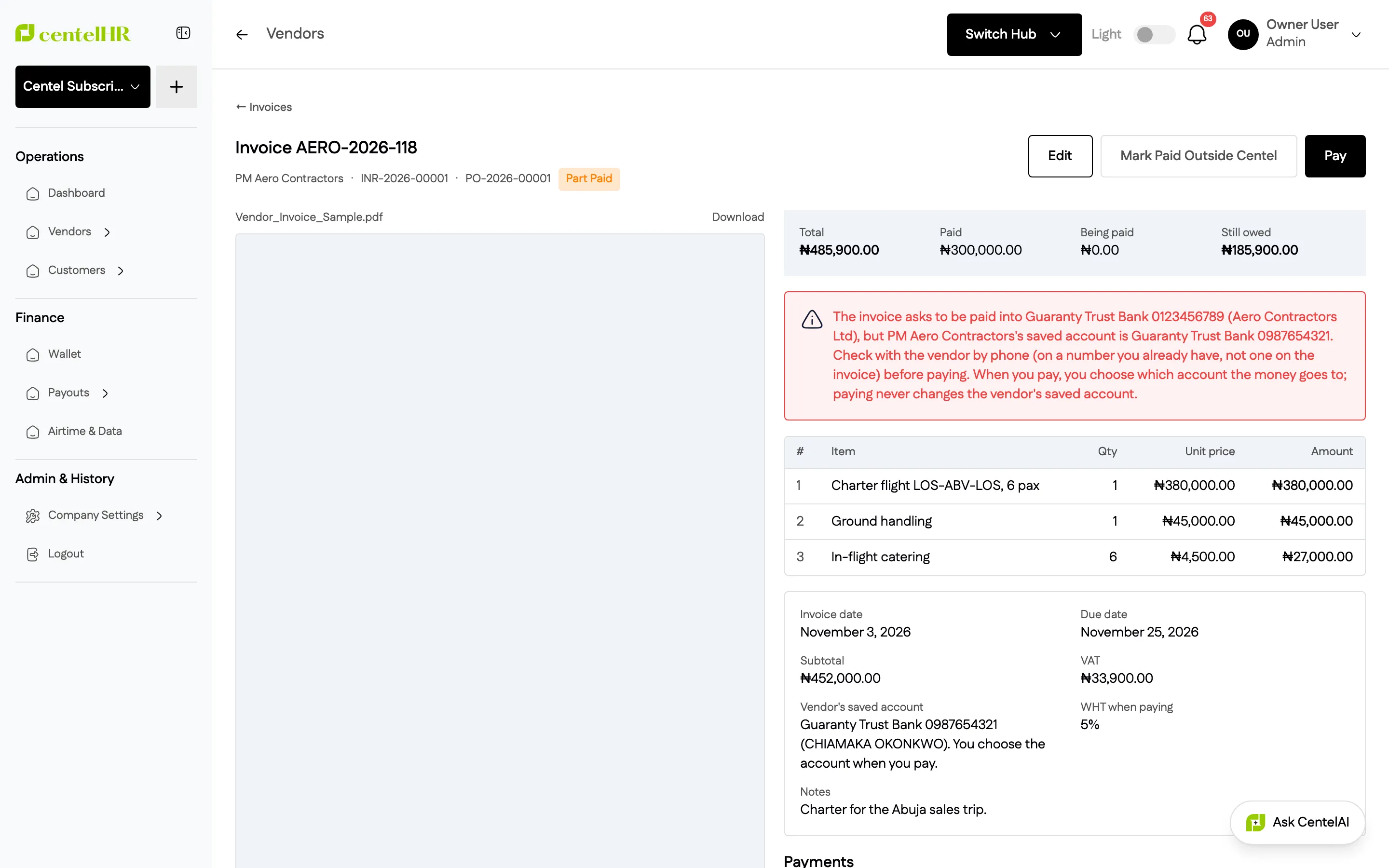
Suppliers and customers, from the same wallet.
Pay vendors through the approvals you already use for salaries, with a warning when an invoice asks for a different bank account. Send customers invoices they pay by transfer, marked paid the moment the money lands.
See Spend →HR records you can stand behind.
Queries, warnings, reviews and exits are documented step by step, with responses and dates, so when a decision is questioned, the record speaks for you.
See your whole team at a glance.
Who's in today, who's on leave, whose probation ends this month and whose work anniversary is coming up, on one dashboard.
An assistant for your HR team. You stay in charge.
It drafts, checks and explains, so you spend less time on the routine and more on judgement calls. Every change it suggests waits for you to confirm, and decisions about people stay with people.
What CentelAI does and doesn't do →Up and running without a big project.
Bring your team in
Upload the spreadsheet you already have. CentelAI helps match the columns, and every row is checked first.
Set your rules once
Salary breakdown, leave policy, work hours and who approves payments.
Run your first month
Check every figure before you pay. Change anything and recalculate, free.
Pricing that grows with your team, not ahead of it.
No monthly fee for payroll: you pay when you run it. Add HR for the people who need it, when they need it. Every price is on the page.
See pricingMake next month-end the easy one.
Bring your team in from a spreadsheet and see your first payroll before you pay for anything.